Home / Blog / Travel & Packing
Protecting a Laptop in a Dry Bag
A 14-inch laptop in a 6 to 10 mm padded sleeve needs a dry bag of at least 15 litres to close properly with three folds, and that combination survives 30 minutes at one metre, which is the IPX7 test, as well as a 20 minute walk in rain falling at 25 mm per hour. What kills machines is not usually the water that gets in from outside: it is condensation formed when a sealed bag moves from a 28 °C afternoon to a 12 °C evening, and impact damage from a 0.8 m drop onto a corner.
This guide covers the four failure modes in order of how often they actually happen: impact, condensation, direct ingress and heat. It gives the size maths for 13, 14 and 16 inch machines, the padding thickness that survives a real drop, where the laptop should sit inside a load, the checkpoint routine at airport security, and the first 60 minutes after a soak. If you are choosing the bag before the packing method, start with our TPU waterproof backpack range, which is built around a suspended laptop compartment rather than a roll-top mouth.
- What actually damages a laptop on a wet trip
- Water ingress paths, and why the closure is not the weak point
- Condensation: the risk nobody packs for
- Sleeve inside a dry bag, or a padded waterproof pack
- Sizing the bag around a 13, 14 or 16 inch machine
- Padding, drop height and corner protection
- Where the laptop sits in the load
- Chargers, cables and the small items that scratch a lid
- Heat, cold and altitude: the non-water risks
- Airport security and the checkpoint routine
- The first 60 minutes after a soak
- A daily routine for a rainy commute
- Specifying a laptop-safe waterproof carry for a team
What actually damages a laptop on a wet trip
Ask anyone who repairs travel-damaged machines and the ranking is consistent. Impact leads, followed by liquid that entered through a keyboard or a port, followed by heat, followed by genuine immersion. A dry bag addresses the last of these almost perfectly and the second one partly; it does nothing for impact unless you add padding, and it can actively make heat worse by wrapping the machine in an insulating layer.
The numbers are worth keeping in view. A laptop dropped 0.8 m onto a concrete kerb from a shoulder height arrives at roughly 4 m/s and puts a corner load of 1,500 to 3,000 N into the chassis, which is enough to crack a solder joint or a display bond even when the case looks fine. The same machine soaked for 30 seconds with the lid closed will often survive if it is powered down and dried correctly, because modern keyboards have drain channels and the logic board is not the first thing water reaches.
So the protection system has three parts, and the dry bag is only one of them. You need a sleeve that absorbs the drop, a bag that keeps bulk water out, and a packing habit that stops the machine cooking inside a sealed black shell in direct sun. Skip any one of the three and the other two are wasted.
Water ingress paths, and why the closure is not the weak point
A roll-top closure that is rolled three times and clipped is a genuinely good seal; on a properly built TPU bag it holds at IPX7, meaning 30 minutes submerged at one metre. The places where water reaches a laptop are elsewhere: a wet strap laid across the top of an open bag, a rain shower while the bag is open on a bench, and the simple act of putting a soaked jacket in the same compartment.
Zipped waterproof compartments behave differently. A coated water-resistant zip sheds rain well and fails under pressure, so a bag laid flat in a puddle for ten minutes can wet out through the zip tape. For a machine that costs more than the bag, prefer a welded compartment with a roll-top or a welded closure rather than a zip, or keep the laptop in a roll-top liner inside a zipped outer bag, which gives two independent barriers.
Ratings matter here because they describe a test rather than an opinion. The ingress grades in IEC 60529 are defined by the IEC, and a bag that quotes IPX7 without naming the standard is quoting nothing. Look for the same discipline on the laptop compartment as on the main body; a compartment that is only splash-rated should be treated as splash-rated and given a liner.
| Exposure | Likely duration | What reaches the machine | Protection that works | Minimum rating |
|---|---|---|---|---|
| Light rain, 2 mm/h | 10 min walk | Surface film on the shell | Any closed bag | IPX4 |
| Steady rain, 10 mm/h | 25 min walk | Run-off down the back panel | Welded shell, covered opening | IPX5 |
| Heavy rain, 25 mm/h | 20 min walk | Water pooling at the base | Roll-top or welded closure | IPX6 |
| Tropical downpour, 60 mm/h | 10 min | Water forced into any seam | Roll-top plus liner | IPX6 |
| Bag dropped in a puddle | 2 min | Full wetting of the base | Welded base, no zip | IPX7 |
| Capsize or full immersion | 30 min at 1 m | Pressure-driven ingress | Welded roll-top, three folds | IPX7 |
Condensation: the risk nobody packs for
A sealed dry bag is a closed system with a fixed amount of water vapour inside it. Warm air holds more moisture than cold air, so when the bag cools, the vapour has to go somewhere and it goes onto the coldest surface, which is usually the aluminium lid of the laptop. This is not theory: a bag packed at 28 °C and 70% relative humidity and then carried into a 12 °C evening will cross its dew point at about 22 °C and start depositing water on metal.
The fix is boring and effective. Pack the machine at the temperature it will be carried at, keep the sleeve dry rather than damp, and add 20 to 40 g of silica gel to the compartment. A 30 g sachet absorbs roughly 6 to 10 g of water vapour before saturating, which is far more than will condense out of the 8 litres of air inside a 15L bag, and it can be regenerated in a microwave or an oven at 120 °C for an hour.
Ventilation is the alternative. A bag that is closed but not compressed, with the sleeve mouth facing up, exchanges enough air through the folds to stay close to ambient. The dangerous configuration is a tightly rolled bag that is then left in direct sun, where the interior climbs to 50 to 60 °C and any moisture inside cycles between evaporation and condensation all afternoon. Our condensation guide goes into the physics in more detail.
| Day temperature | Night temperature | Relative humidity | Dew point | Condensation risk for a sealed bag |
|---|---|---|---|---|
| 28 °C | 12 °C | 70% | 22 °C | High, add silica and vent |
| 24 °C | 18 °C | 60% | 16 °C | Moderate, sleeve is enough |
| 20 °C | 10 °C | 55% | 10 °C | Moderate, vent overnight |
| 32 °C | 26 °C | 85% | 29 °C | Very high, silica essential |
| 8 °C | 2 °C | 65% | 2 °C | Low, cold air holds little moisture |
| 35 °C | 22 °C | 40% | 19 °C | Low, dry climate |
Sleeve inside a dry bag, or a padded waterproof pack
Two architectures work and one does not. Architecture one is a padded sleeve inside a roll-top dry bag: cheap, flexible, and it lets you move the machine between bags, but the sleeve floats in the load and can end up at the bottom under 6 kg of gear. Architecture two is a waterproof backpack with a dedicated suspended compartment: the machine sits against the back panel in its own padded cavity, isolated from the main volume.
The architecture that does not work is a bare laptop in a dry bag with a folded jacket for padding. Fabric compresses unevenly, the corners take the load first, and a corner is exactly where the chassis is least able to absorb it. If you must improvise, wrap the machine in clothing and place it flat against your back rather than at the bottom of the bag.
Our own preference for daily urban use is the suspended compartment, because it solves two problems at once: the laptop is padded and it is separated from wet kit. For a canoe trip or a beach day, where the bag may actually be submerged, the sleeve inside a welded roll-top wins, because there is no zip and no harness foam to hold water. Both approaches are covered against the full product line.
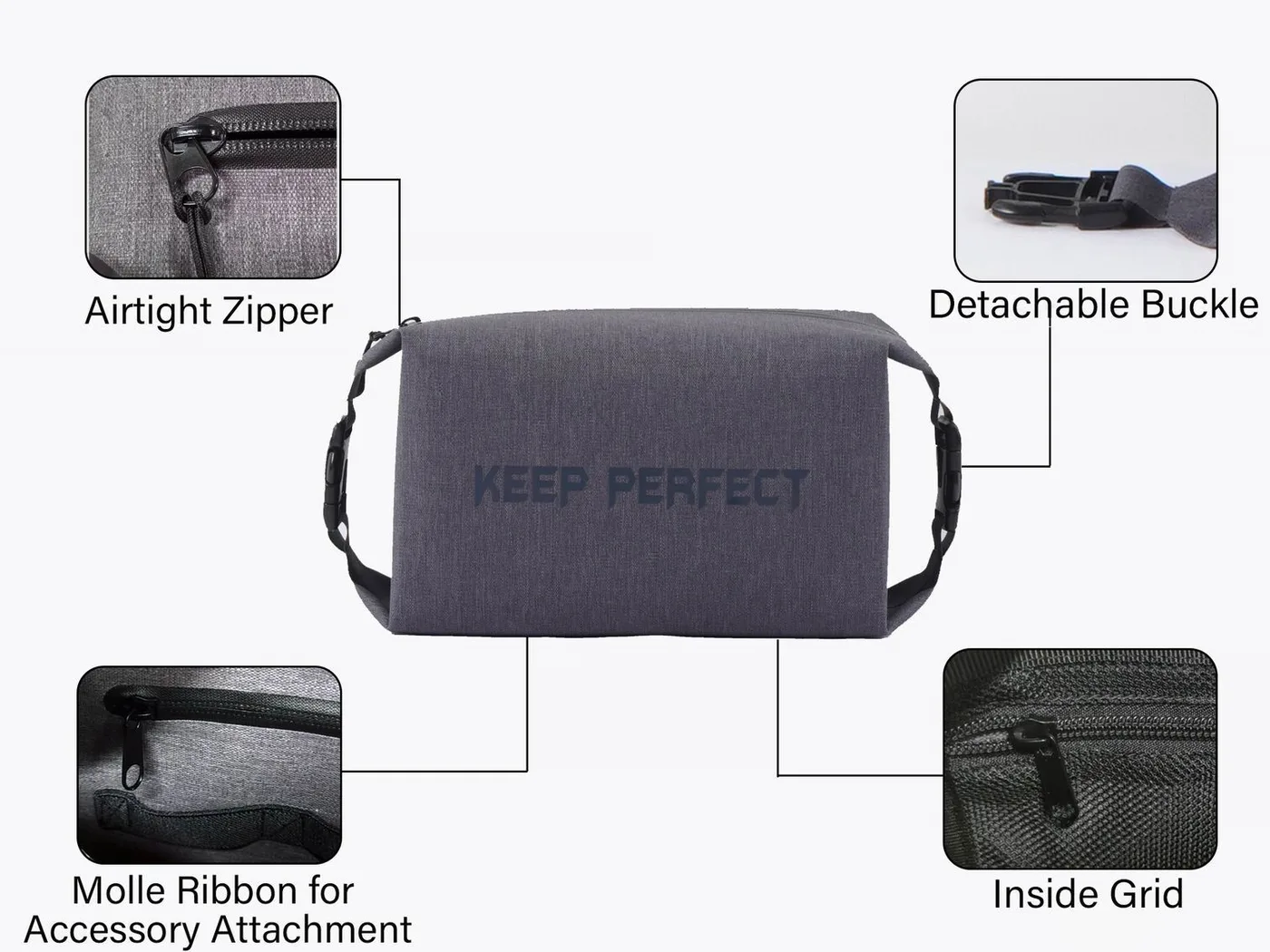
Sizing the bag around a 13, 14 or 16 inch machine
Size the bag from the sleeve, not from the screen diagonal. A 14-inch laptop measures roughly 312 x 221 x 15 mm, and a 6 mm sleeve adds 12 mm in each dimension plus a little slack, so the packed object is about 330 x 240 x 30 mm. Laid flat in a roll-top, that object needs a bag whose base is at least 340 x 250 mm, which means a 15L bag rather than a 10L, because a 10L cylinder is too narrow to take it without forcing the corners.
Volume is the second constraint. A 330 x 240 x 30 mm sleeve occupies 2.4 litres, which sounds small, but you also need room for the charger, the cable and a notebook, plus the 15 to 20% air gap that lets a roll-top fold three times. The working rule is to multiply the sleeve volume by five: a 2.4 litre sleeve wants a 12 to 15 litre bag, and a 3.2 litre 16-inch sleeve wants 16 to 20 litres.
Under-sizing is the most common buying mistake. A 10L bag will physically accept a 13-inch machine and then fail to close, because the roll-top needs 80 to 120 mm of free fabric above the load to make three folds. If the bag only just fits the laptop, it will leak at the fold, which is the one failure the dry bag was supposed to prevent.
| Machine | Device dimensions | Sleeve outer dimensions | Packed volume | Smallest dry bag that closes | Typical machine weight |
|---|---|---|---|---|---|
| 13-inch ultrabook | 300 x 212 x 15 mm | 318 x 230 x 29 mm | 2.1 L | 12 L | 1.20 kg |
| 14-inch business laptop | 312 x 221 x 15 mm | 330 x 240 x 29 mm | 2.4 L | 15 L | 1.40 kg |
| 14-inch workstation | 320 x 225 x 19 mm | 338 x 244 x 33 mm | 2.7 L | 15 L | 1.60 kg |
| 15-inch laptop | 356 x 235 x 18 mm | 374 x 254 x 32 mm | 3.0 L | 20 L | 1.90 kg |
| 16-inch laptop | 356 x 248 x 20 mm | 374 x 267 x 34 mm | 3.4 L | 20 L | 2.10 kg |
| 11-inch tablet with keyboard | 280 x 195 x 12 mm | 296 x 211 x 26 mm | 1.6 L | 10 L | 0.90 kg |
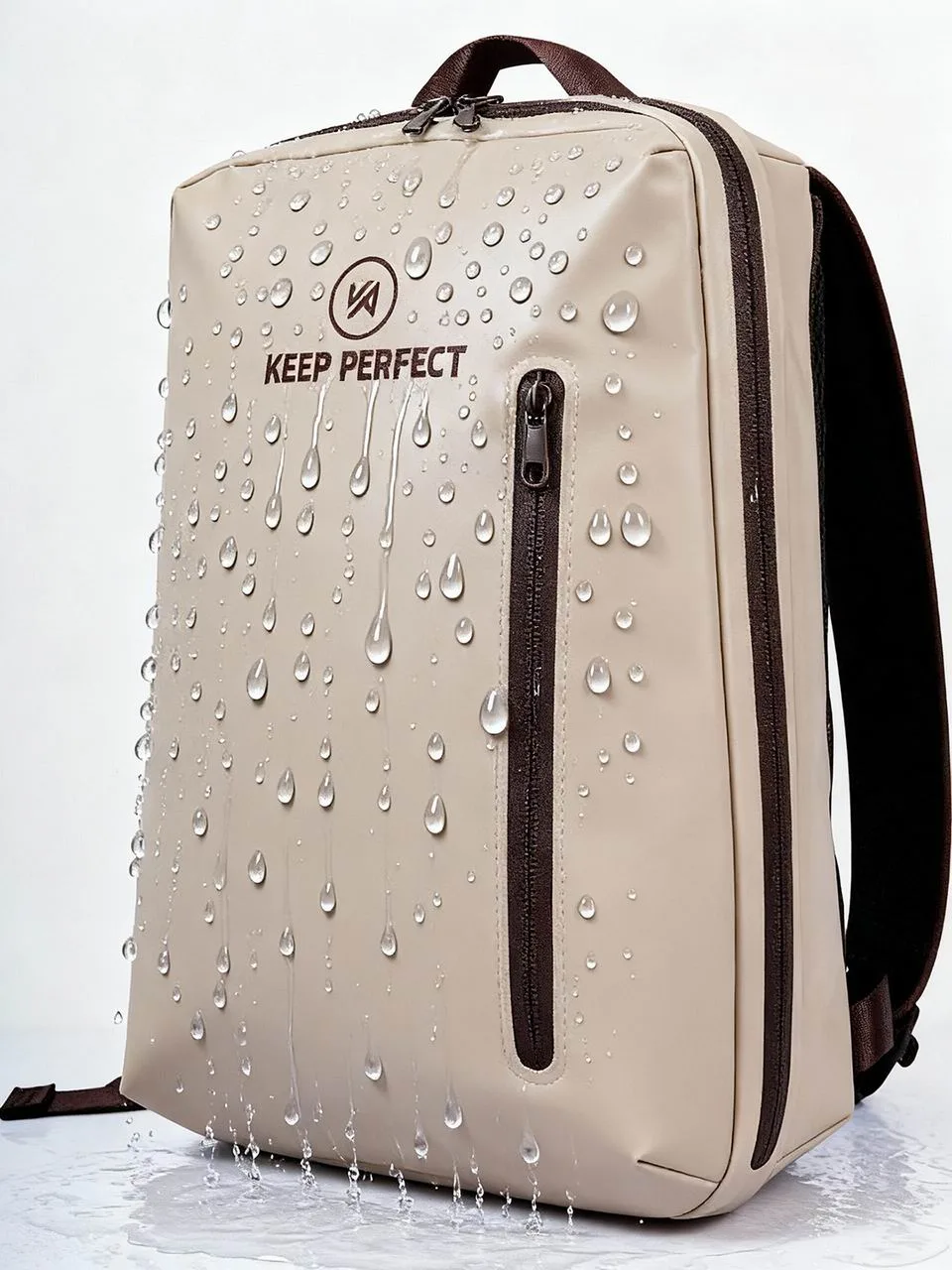
Padding, drop height and corner protection
Padding works by increasing the distance over which the impact is absorbed. A 6 mm closed-cell foam sleeve reduces the peak acceleration of a 0.8 m drop from about 300 g to roughly 90 g; a 10 mm sleeve with a reinforced corner gets it to 50 g. Most laptop chassis are engineered to survive somewhere between 50 and 100 g of shock, so the difference between 6 mm and 10 mm is the difference between a repair bill and nothing.
Corner geometry matters more than thickness. A flat drop spreads the load along the edge, which is stiff; a corner drop concentrates it into a hinge or a display corner, which is not. Look for a sleeve with moulded or double-layer corners and a stiff base insert, and treat any sleeve that lets the machine bend diagonally as decoration rather than protection.
The lab method is simple enough to reproduce. Drop a weighted dummy from 0.8 m onto concrete at 23 °C, six times, once on each face and two on corners, and measure peak acceleration with an accelerometer taped to the dummy. Test protocols of this kind are standardised by the ASTM, and any sleeve that cannot quote a number is quoting a feeling.
| Drop height | Surface | Orientation | Bare machine peak shock | 6 mm sleeve | 10 mm sleeve with corners |
|---|---|---|---|---|---|
| 0.5 m | Concrete | Flat back | 190 g | 70 g | 40 g |
| 0.8 m | Concrete | Flat back | 300 g | 90 g | 50 g |
| 0.8 m | Concrete | Corner | 420 g | 150 g | 75 g |
| 1.2 m | Concrete | Corner | 600 g | 230 g | 110 g |
| 0.8 m | Wet deck boards | Corner | 260 g | 95 g | 55 g |
| 0.8 m | Sand | Flat back | 150 g | 60 g | 35 g |
Where the laptop sits in the load
Position decides both impact exposure and water exposure. The safest place in any bag is flat against the back panel, above the base, with nothing heavy on top of it. The worst place is at the bottom, where it takes the weight of everything packed above it and sits in any water that has entered through a seam or a wet item.
In a roll-top dry bag used on a boat or a beach, invert that logic slightly: put the sleeve in first, lying flat, then pack soft items around and above it, and keep hard objects such as a water bottle, a pump or a camera body away from the sleeve faces. A 1 kg bottle pressing on a 0.5 kg lid for an hour of carry will not break it, but the same bottle landing on the same lid in a drop will.
Weight distribution is the last consideration. A 1.4 kg laptop plus a 0.4 kg charger is 1.8 kg, which is 30 to 45% of the total load on a day trip. Carry it high and close to your back and it barely registers; carry it low and away and it pulls the shoulders backwards, which is why a suspended compartment in a backpack feels lighter than the same machine loose in a duffel.

Chargers, cables and the small items that scratch a lid
The charger is the second most damaging object in the bag. A 65 W brick measures about 95 x 55 x 28 mm and weighs 220 g, and its corners are hard enough to dent an aluminium lid over a season. It also generates heat: left running inside a sealed bag it will raise the local temperature by 8 to 12 °C, which accelerates the condensation cycle described earlier.
Give the charger its own pouch, preferably one with a soft lining, and pack it beside the sleeve rather than on top of it. Cables go in a flat organiser, because a loose USB-C cable with a metal connector housing will write fine scratches into a lid over a few hundred kilometres of walking. A 0.2 mm neoprene or polyester pouch weighing 40 g prevents all of this.
Small hard items deserve the same attention. Keys, a multi-tool, a phone with a metal camera bump and a hard-drive enclosure all belong in a separate 1 to 2 litre pouch. If your bag has an internal pocket, use it for these rather than for the laptop, because the pocket is the place where items press together hardest.
Heat, cold and altitude: the non-water risks
Heat is the underrated hazard. Lithium-ion cells degrade fastest above 40 °C, and a black dry bag left on a beach at 32 °C in direct sun reaches 55 to 65 °C inside within 40 minutes. Leaving a laptop in that environment does not just shorten the battery, it can soften adhesives in the display stack and push the machine into thermal shutdown repeatedly.
Cold is less dangerous but still worth planning for. Below about 5 °C, battery capacity drops by 15 to 25% and the machine may refuse to charge until it warms. The practical habit is to carry the laptop in an inside layer on a cold day rather than in the outer bag, and to let it reach room temperature before opening the lid, because opening a cold machine in humid air is a fast way to fog the display from the inside.
Altitude and pressure are benign for solid-state storage but not for anything with a spinning disk or a sealed air gap, and they interact with a rolled dry bag in one specific way: a bag rolled shut at sea level and carried to 2,500 m will balloon slightly, because the trapped air expands by roughly 25%. That is harmless for the laptop, but it can push a marginally rolled closure open, so re-roll at altitude rather than relying on the morning seal.
Airport security and the checkpoint routine
Screening rules vary, but the working assumption for most international checkpoints is that a laptop comes out of the bag and into its own tray. That means the packing order matters: the sleeve has to be reachable in under 20 seconds without unpacking the bag, ideally from a dedicated compartment or from the top of a roll-top that can be unrolled one-handed.
A roll-top dry bag is slower at the checkpoint than a zip compartment, which is a real argument for the backpack architecture on flight-heavy itineraries. If you do travel with a roll-top, pack the sleeve last, keep the charger with it in the same pouch, and practise the unroll-and-lift motion once at home. Twenty seconds saved per checkpoint is worth a lot over a two-week trip.
Two further habits help. Keep documents and a passport in a separate flat pouch, because fishing for them while a tray queue builds is how things get dropped on the floor, and read the current screening guidance for your departure airport before you fly, since rules on batteries and power banks change more often than luggage rules. More detail sits in our airport security guide and our documents and passport guide.
The first 60 minutes after a soak
Speed matters more than technique. Power the machine down the moment you know it is wet, do not plug it in, and do not press keys in the hope of checking whether it works. A board with water across it and current running through it corrodes in minutes; a board with water on it and no current can often be recovered entirely.
Open the lid to roughly 100 degrees and stand the machine on its edge, keyboard down, on a towel, so that water drains out through the keyboard channels rather than pooling over the board. Remove any sleeve, wipe the exterior, and if you can do so safely on your model, disconnect the battery. Do not use rice: it absorbs slowly, leaves dust, and does nothing about the water already under a shield.
Then wait. With 60 to 70% relative humidity and airflow across the machine, a soaked laptop needs 24 to 48 hours before it should be powered, and longer if the soak was in salt water, because salt residue is hygroscopic and conductive. Saltwater immersion is the one case where a professional strip and an isopropyl rinse is genuinely worth paying for. Storage of the wet bag itself is covered in our dry bag cleaning guide.
A daily routine for a rainy commute
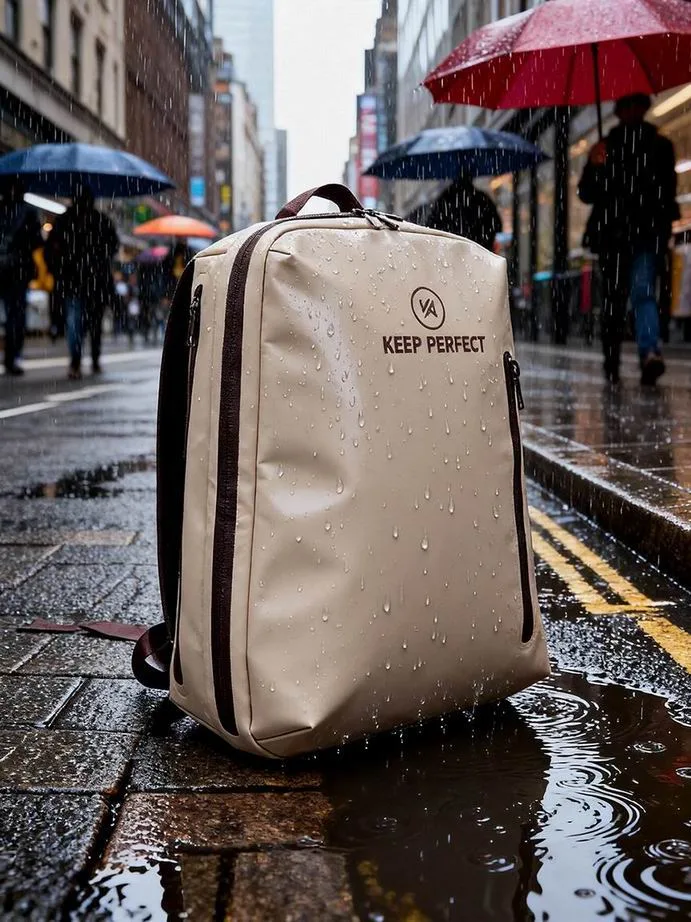
The commute is where most laptops actually get wet, because the exposure is repeated and the bag is often open. A 20 minute walk in rain at 10 mm per hour puts far more water on a bag than a single capsize, simply because it happens 200 times a year. The routine that works is short: sleeve the machine, close the bag before you leave the building, and keep a dry microfibre cloth in the outer pocket.
Two habits make the difference over a season. First, dry the bag out overnight rather than leaving it closed with a damp jacket inside, because a bag that never dries will start to smell and will carry humidity straight to the sleeve. Second, check the closure line weekly for grit, since a single grain of sand in the fold creates a capillary path that wets the interior over an hour of walking.
Finally, match the bag to the climate rather than to the laptop. In a place with 150 rainy days a year, a welded backpack with a suspended compartment and a storm flap beats a roll-top for daily use, and the roll-top becomes the travel and watersports bag. Our rainy commute setup guide lays out that split in detail, and carry-on-only travel covers the flight-heavy version.
Specifying a laptop-safe waterproof carry for a team
When a company buys 500 bags for a field team, the specification has to be written, not felt. The five lines that matter are sleeve compartment dimensions, foam thickness and corner construction, the ingress rating of the laptop compartment specifically, the clearance between the sleeve and the closure fold, and the test evidence behind each. Everything else, including colour and branding, is secondary to those five.
Ask for a sample that has been drop-tested with a weighted dummy and immersion-tested with the sleeve in place, and ask for the report rather than the claim. Production runs of this kind take 35 to 50 days from approved sample to ship, with a 500-piece minimum, sampling in 6 to 10 working days and FOB Xiamen terms.
Two closing checks. Confirm the laptop compartment is rated independently of the main body, because a bag can be IPX7 overall with a splash-rated sleeve pocket, and confirm that a 16-inch machine fits with the sleeve, not bare. If you are still deciding between architectures, read can you use a dry bag for a laptop and our sizing guide for laptops and documents before you write the brief.
Frequently asked questions
Q1. Can you put a laptop in a dry bag?
Yes, in a 6 to 10 mm padded sleeve inside a welded roll-top of at least 15 litres for a 14-inch machine. The sleeve handles impact, the bag handles water, and the size gives enough free fabric above the load to make three folds.
Q2. What size dry bag do I need for a 14-inch laptop?
A 14-inch machine in a sleeve occupies about 2.4 litres and measures roughly 330 x 240 x 30 mm, which needs a 15L bag. A 10L bag will accept the sleeve but leaves too little fabric above the load to roll three times, so the closure will leak.
Q3. Do I need a padded sleeve inside a dry bag?
Yes. A dry bag stops water but not impact; a 0.8 m corner drop onto concrete puts 420 g of shock into a bare machine and 75 g into one in a 10 mm sleeve with reinforced corners. Most chassis survive 50 to 100 g.
Q4. Will condensation form inside a dry bag with a laptop?
It can. Air packed at 28 °C and 70% humidity reaches its dew point at about 22 °C, so water deposits on the cold aluminium lid as the bag cools. Pack at carrying temperature, add 20 to 40 g of silica gel, and vent the bag overnight.
Q5. Is a waterproof backpack better than a dry bag for a laptop?
For daily commuting, yes, because a suspended padded compartment gives impact protection and fast access at airport security. For boating, canoeing or beach days, a sleeve inside a welded roll-top is better, since there is no zip to leak under pressure.
Q6. What IPX rating should a laptop compartment have?
IPX6 at minimum for daily rain and IPX7 if the bag may be submerged. Check the compartment rating separately from the main body, because a bag rated IPX7 overall can still have a splash-rated sleeve pocket.
Q7. How much padding is enough for a laptop?
Six millimetres of closed-cell foam cuts a 0.8 m flat drop from 300 g to 90 g; 10 mm with reinforced corners gets it to 50 g. Since most chassis tolerate 50 to 100 g, 10 mm with corners is the sensible target.
Q8. Can I carry a laptop and a charger in the same dry bag?
Yes, but put the charger in its own soft pouch beside the sleeve, not on top of it. A 65 W brick weighs 220 g with hard corners and warms its surroundings by 8 to 12 °C while charging.
Q9. Does a laptop have to come out of the bag at airport security?
At most international checkpoints, yes. Pack the sleeve last so it can be lifted out in under 20 seconds, keep the charger in the same pouch, and accept that a zip compartment is faster than a roll-top at the tray.
Q10. What should I do if my laptop gets soaked?
Power it down immediately, do not plug it in, stand it on edge with the keyboard down on a towel, and wait 24 to 48 hours. If the water was salt water, get it professionally stripped and rinsed, because salt residue stays conductive and hygroscopic.
Q11. Is rice a good way to dry a wet laptop?
No. Rice absorbs moisture slowly, leaves dust in the ports and does nothing about water trapped under a shield. Airflow across an open machine for 24 to 48 hours at 60 to 70% humidity is more effective and far safer.
Q12. How hot does a dry bag get in the sun?
A black bag on a beach at 32 °C reaches 55 to 65 °C inside within about 40 minutes. Lithium cells degrade fastest above 40 °C, so keep the bag in shade and never leave a machine sealed in direct sun.
Q13. Can I check a laptop in a dry bag as hold luggage?
You can, but most airlines advise against it and lithium battery rules limit what may go in the hold. Carry the machine in the cabin, where you can also control temperature, and put the dry bag in the hold if you need the space.
Q14. Do dry bags protect against rain on a commute?
A welded roll-top closed with three folds handles rain at 25 mm per hour for a 20 minute walk. The bigger risk is a bag left open or a closure with grit in the fold, which is why a weekly check of the fold line matters.
Q15. Will a 16-inch laptop fit in a 20L dry bag?
Yes. A 16-inch machine in a sleeve measures about 374 x 267 x 34 mm and occupies 3.4 litres, and a 20L bag closes over it with three folds. It will not close comfortably in a 15L bag.
Q16. Where should the laptop sit inside the bag?
Flat against the back panel, above the base, with soft items above it and no hard objects against its faces. Never at the bottom of the bag, where it carries the weight of the load and sits in any water that enters.
People also ask
How do you waterproof a laptop for travel?
Put it in a 6 to 10 mm padded sleeve, place the sleeve in a welded roll-top dry bag or a waterproof backpack compartment rated IPX6 or better, add 20 to 40 g of silica gel, and keep the bag out of direct sun.
Can a dry bag replace a laptop bag?
Not by itself. A dry bag handles water but provides no impact protection, so you still need a padded sleeve. A waterproof backpack with a suspended sleeve compartment does both jobs in one shell.
Why does my laptop get damp inside a dry bag?
Condensation. Warm air sealed inside the bag cools below its dew point and deposits water on the coldest surface, which is usually the metal lid. Pack at ambient temperature, vent the bag and use silica gel.
How much drop protection does a laptop sleeve give?
A 6 mm closed-cell sleeve cuts a 0.8 m concrete drop from about 300 g to 90 g of peak shock, and a 10 mm sleeve with reinforced corners to about 50 g. Most laptop chassis tolerate 50 to 100 g.
Is it safe to charge a laptop inside a dry bag?
No. A 65 W charger raises the local temperature inside a sealed bag by 8 to 12 °C, which speeds battery degradation and drives the condensation cycle. Take the charger out and use it in open air.
What fits in a 15L dry bag besides a laptop?
A 14-inch laptop in a sleeve at 2.4 litres, plus a charger pouch, a notebook, a light layer and a 500 ml bottle, for a total of about 9 litres packed. Leave 20% headroom so the roll-top can still close three times.
Need this in production volume?
QUANZHOU JUNYUAN BAGS has produced waterproof bags since 2014 in an SGS-verified 4,950 m2 facility in Fujian, China. Minimum order 500 pieces, sampling in 6–10 working days, bulk in 35–50 days, FOB Xiamen — write to service@junyuanbags.com with your spec and target market.